The best launch video tools in 2026
Before anything else, a disclosure: I built Teasr, which is one of the tools on this list, so I am biased and you should read this with that in mind. I put Teasr first because it is mine, but I tried to be fair to everything else here, and for each tool I wrote down who it is best for, what it costs according to its own pricing page, and one honest limitation. Every price below was checked on October 12, 2026, and prices change, so treat them as a starting point.
A launch video has a narrow job. It sits at the top of a Product Hunt page, gets posted on X and LinkedIn on launch day, and lives in the hero of your landing page afterwards. It should be short, it should look like your product and your brand, and it should make someone curious enough to click. That is a different job from a tutorial or a sales demo, so the tools below are chosen for that job.
1. Teasr
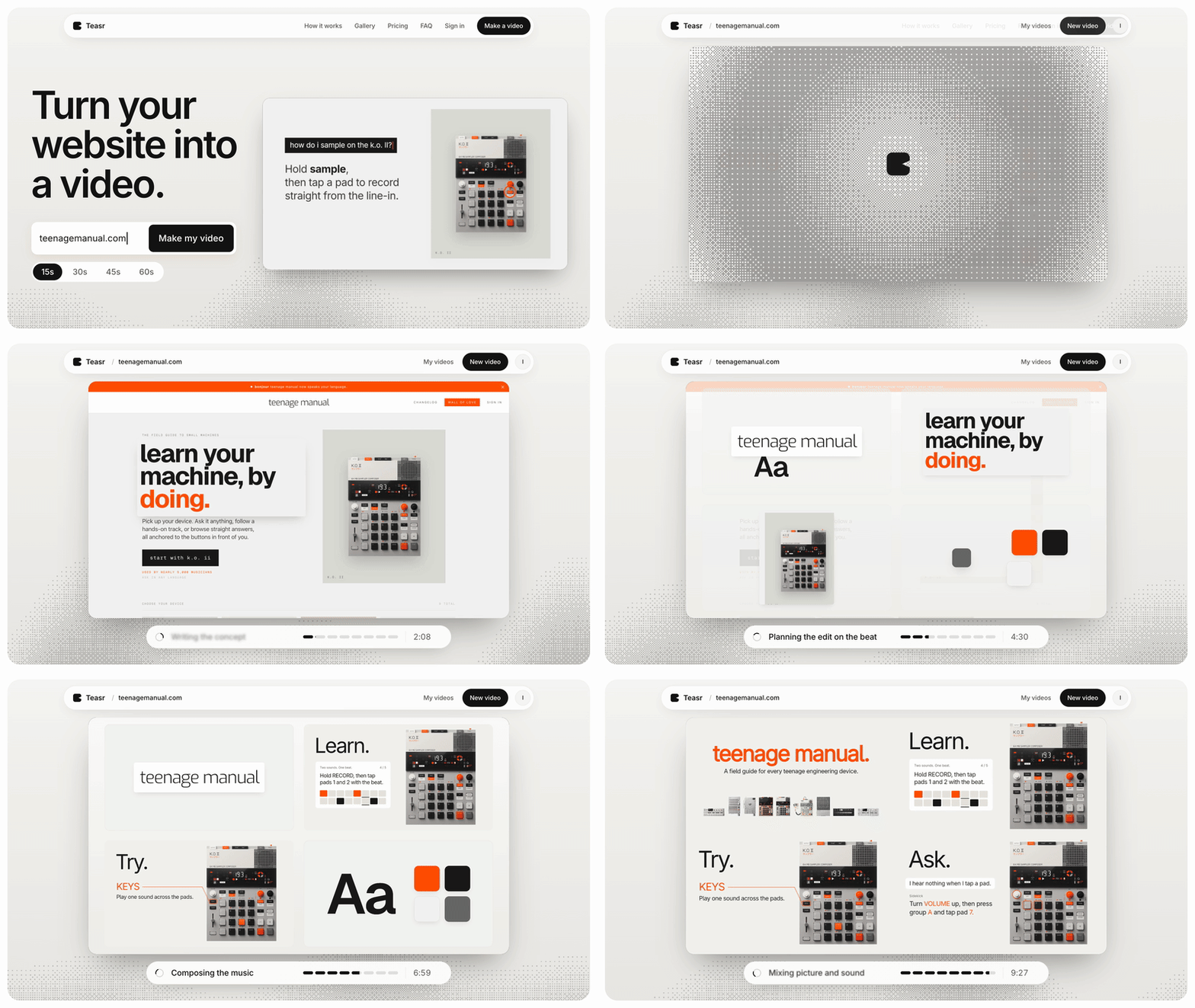
Teasr turns a website URL into a 15 to 60 second motion video. You paste your landing page, and it pulls your colours, fonts, headlines and product images, animates them into a short promo and writes original music for it. A video is usually ready in about 10 minutes, at 1080p and 60 fps.
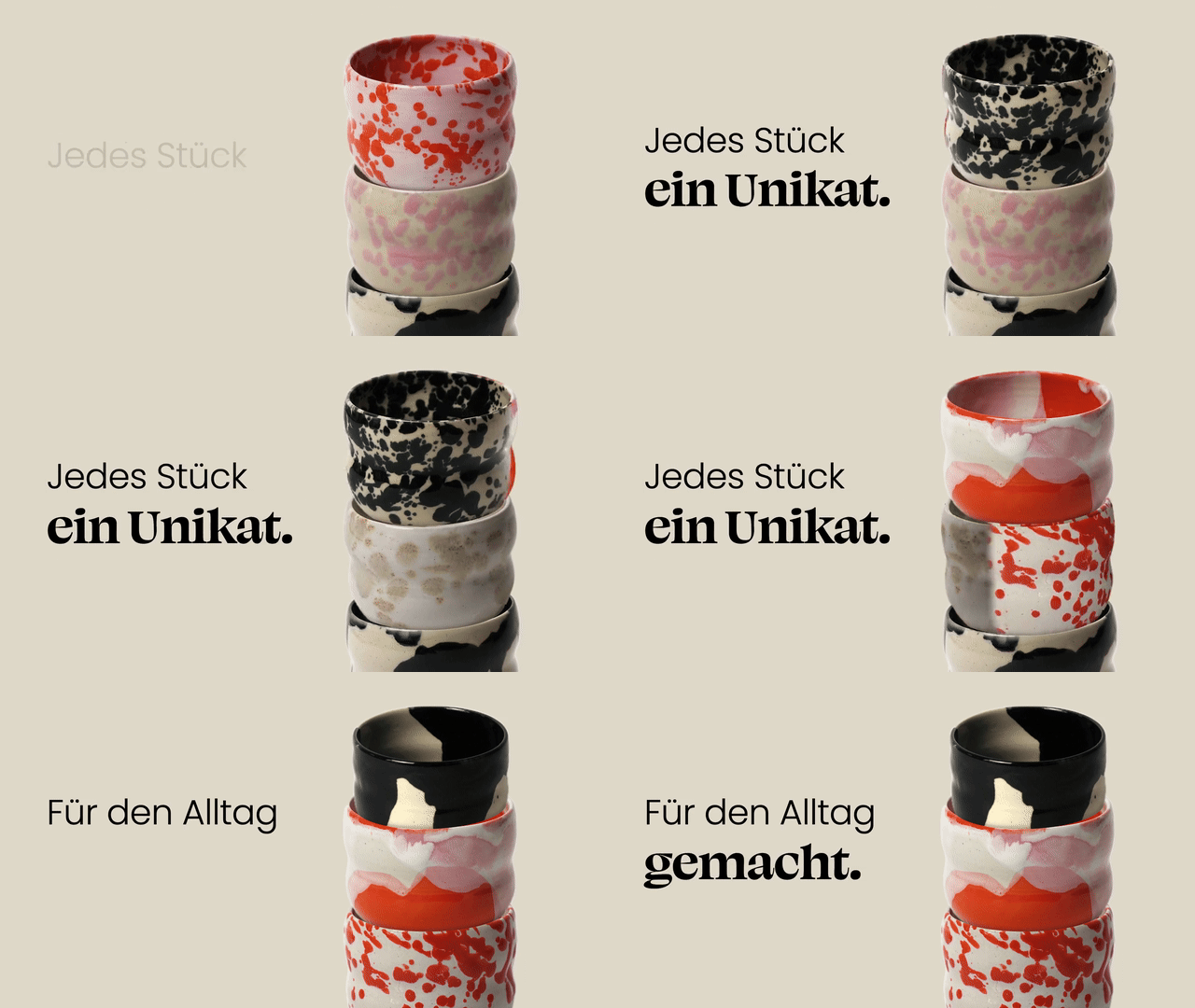
Best for: founders who already have a decent landing page and want a polished, on-brand launch teaser without learning motion design or hiring someone.
Pricing: pay per video with no subscription required: €19.50 for 15 seconds, €29.50 for 30, €39.50 for 45 and €49.50 for 60. Your first change to a video is free and later changes are €4.50 each. There is also a €49 a month Studio plan with three videos a month, changes included and early access to vertical videos.
Limitation: Teasr works from your website, so if the site is rough or mostly text, the video will be too. It does not record your screen, there are no avatars or voiceover, and it is not a general video editor, so if you want to show a real click-through of your product you will need one of the tools below as well.
2. Screen Studio
Screen Studio is a Mac screen recorder that adds automatic zooms, smooth cursor movement, device frames and captions to whatever you record, so a plain screen capture comes out looking like an edited product video.
Best for: makers who want the launch video to show the product in use, and who are comfortable recording and timing a short walkthrough themselves.
Pricing: $29 a month, or $9 a month billed yearly, with every feature on every plan.
Limitation: it is macOS only, and the result is only as good as the take you record, so you still have to plan the flow and record it cleanly.
3. Jitter
Jitter is a browser-based motion design tool, closer to a lighter Figma for animation than to a video editor. You build scenes from your own designs and animate them on a timeline, with a library of more than 400 templates to start from.
Best for: designers, or founders who think like one, who want full control over every frame of a short animated launch clip.
Pricing: there is a free plan; Pro is $10 a month and Max is $20 a month per editor. The free plan exports at up to 720p and 30 fps with a Jitter watermark, while Pro moves you to 1080p at 60 fps without the watermark.
Limitation: you are doing the motion design yourself, which takes time and taste, and you still have to find a soundtrack and time the animation to it.
4. Rotato
Rotato is a Mac app for 3D device mockups. You drop in a screenshot or screen recording of your app, place it on a phone, laptop or desktop, and animate the camera around it to export a slick product shot or video.
Best for: mobile app launches and App Store or Product Hunt galleries where a rotating phone with your UI on it is exactly what you want.
Pricing: one-time payments: Basic is €79 (phones only), Standard is €89 and Premium is €199, each with a period of free updates.
Limitation: it is macOS only and it is a mockup tool, so it frames your UI beautifully but does not tell a story or add music; most people cut its exports into a longer video elsewhere.
5. Arcade
Arcade started as a tool for clickable, interactive product demos and now also generates videos with AI voiceover from those captures. For a launch, that means you can embed an interactive walkthrough on your landing page and export a video version for social.
Best for: SaaS launches where you want visitors to try a guided version of the product right on the landing page.
Pricing: free for one user with one published demo and one published video; Growth is $50 per seat a month, or $42.50 billed yearly.
Limitation: the free plan is too tight for a real launch with more than one asset, and an interactive demo is a different thing from a punchy 20 second teaser for a feed.
6. CapCut
CapCut is a free video editor available on desktop, mobile and the web, with templates, captions, effects and a growing set of AI generation tools.
Best for: founders on a zero budget who are happy to edit their own launch clip, especially vertical clips for X, TikTok or Reels.
Pricing: the free plan covers basic editing and templates; paid plans exist, and CapCut says displayed prices are for reference only and you need to sign in for your final price, so see their pricing page.
Limitation: it is an editor, so you bring the footage, the structure and the brand consistency yourself, and its templates are built for social content rather than for software products.
7. A freelancer or motion design studio
The traditional route is still a good one. A good motion designer will write a script with you, design custom scenes and deliver something none of the tools above will match when it comes to originality.
Best for: funded launches where the video is a central asset that will run in ads and on the homepage for months.
Pricing: quotes vary enormously by person, region and scope, so get two or three before deciding.
Limitation: it takes weeks rather than minutes, costs a multiple of everything else on this list, and each round of changes goes through another person's calendar, which is hard when your launch date is fixed.
How to choose
Start from what you want people to see. If the point is the brand and the promise, a short motion teaser works best, and Teasr is the quickest way to get one if your landing page already looks good, while Jitter gives you full control if you have the time and design skill. If the point is the product working, record it with Screen Studio, or put a phone or laptop around it with Rotato. If you want visitors to try the product before signing up, an interactive demo from Arcade belongs on your landing page next to whatever video you post on launch day. CapCut is the right answer when the budget is zero and you have an afternoon, and a freelancer or studio is the right answer when the video matters for months and you have both time and money. Many launches end up using two of these together, a short teaser for the feed and a walkthrough for the page.
| Tool | Best for | Starting price |
|---|---|---|
| Teasr | On-brand launch teaser from your website, about 10 minutes | €19.50 per 15s video |
| Screen Studio | Polished screen recordings of the product in use (Mac) | $9/month billed yearly |
| Jitter | Hands-on motion design in the browser | Free, Pro $10/month |
| Rotato | 3D device mockup videos for apps (Mac) | €79 one-time |
| Arcade | Interactive demo on the landing page | Free, Growth $42.50/seat/month yearly |
| CapCut | Doing it yourself on a zero budget | Free, see pricing page for paid |
| Freelancer or studio | Custom, high-stakes launch films | Varies by quote |